

Cheapest business email for one project, and for several
It depends on how many mailboxes you end up with. Every other plan in this cheap business email comparison charges by the mailbox, or in Namecheap’s case by the bundle. For one mailbox on one domain, Zoho, Hostinger and Namecheap all cost less than Digismak.
The count grows as you ship. A second project whose mail you want kept apart is a second mailbox. A cofounder is a third.
Digismak’s price is flat. It runs on your own Cloudflare account, where one Workers Paid plan at $5 a month covers every address on every domain in the account. From 6 mailboxes it costs less than every per-mailbox plan here. And if you already pay for Workers Paid, sending costs nothing more.
| Plan | 1 mailbox | 2 mailboxes | 3 mailboxes | 5 mailboxes | Billing |
|---|---|---|---|---|---|
| Digismak | $5 | $5 | $5 | $5 | Monthly, paid to Cloudflare, for every domain in the account; Digismak is free during early access |
| Digismak, if you already pay for Workers Paid | $0 more | $0 more | $0 more | $0 more | Sending uses the plan you already have |
| Zoho Mail Lite (5 GB) | $1 | $2 | $3 | $5 | Yearly only |
| Hostinger Business Starter, renewal price | $1.59 | $3.18 | $4.77 | $7.95 | 48-month term, paid upfront |
| Namecheap | $1.24 (Launch) | $3.49 (Expand, 3 mailboxes) | $3.49 (Expand) | $5.99 (Scale) | Yearly, in bundles of 1, 3 or 5 mailboxes |
| Google Workspace Business Starter | $7 | $14 | $21 | $35 | Yearly plan; $8.40 per person month to month |
| Microsoft 365 Business Basic | $7 | $14 | $21 | $35 | Yearly plan; $8.40 per person month to month |
How to read the table:
- Count one mailbox for each person, and one for each project whose mail you want in its own inbox.
- Hostinger advertises Business Starter at $0.39 a mailbox a month. That price needs 48 months paid upfront, and the plan then renews at $1.59, the figure used here. At the intro price, Digismak costs less from 13 mailboxes.
- Zoho Mail Lite can only be paid yearly, so 3 mailboxes are $36 for the year in one go.
- Namecheap sells bundles of 1, 3 or 5 mailboxes for $14.88, $41.88 or $71.88 a year. With every mailbox used, that’s $1.16 to $1.24 a mailbox a month. A promo code lowers the first year only. Past 5 mailboxes you add more at a separate price, so check Namecheap’s page if you need that many.
- Google and Microsoft are shown on yearly billing, and both include office apps. If that’s what you’re weighing, see our Google Workspace alternative page.
One mailbox on one domain? A per-mailbox plan costs less than $5 a month. Zoho Mail Lite is $1 a month, billed yearly, and Hostinger is $1.59 at the renewal price. Zoho’s free plan costs nothing where Zoho offers it: up to 5 users on one domain, in the browser and Zoho’s app only. Digismak pays off when the mailboxes add up across projects, or when you already pay for Workers Paid.
What $5 a month includes
One Workers Paid plan, paid to Cloudflare, covers every domain in your Cloudflare account. With Digismak on top, it gets you:
- Every address on every domain: your own, plus shared addresses like support@, hello@ and billing@ that anyone you add to the domain can read and answer.
- Unlimited receiving, through Cloudflare Email Routing.
- 3,000 sent emails a month for the whole account, then $0.35 per 1,000.
- Sign-in without passwords: a 6-digit code sent to an email address you already use.
- An admin console to add a cofounder or a contractor later, and to suspend or remove them.
- An inbox that works in a phone’s browser. An admin can keep images from senders blocked until someone allows them.
Adding a person, or another domain in the same Cloudflare account, doesn’t change the price. Sending is the only part that can cost more. Say your projects send 5,000 emails between them in a month. You pay $5 plus $0.70 for the 2,000 over the allowance: $5.70 in total.
Affordable business email for every project in your Cloudflare account
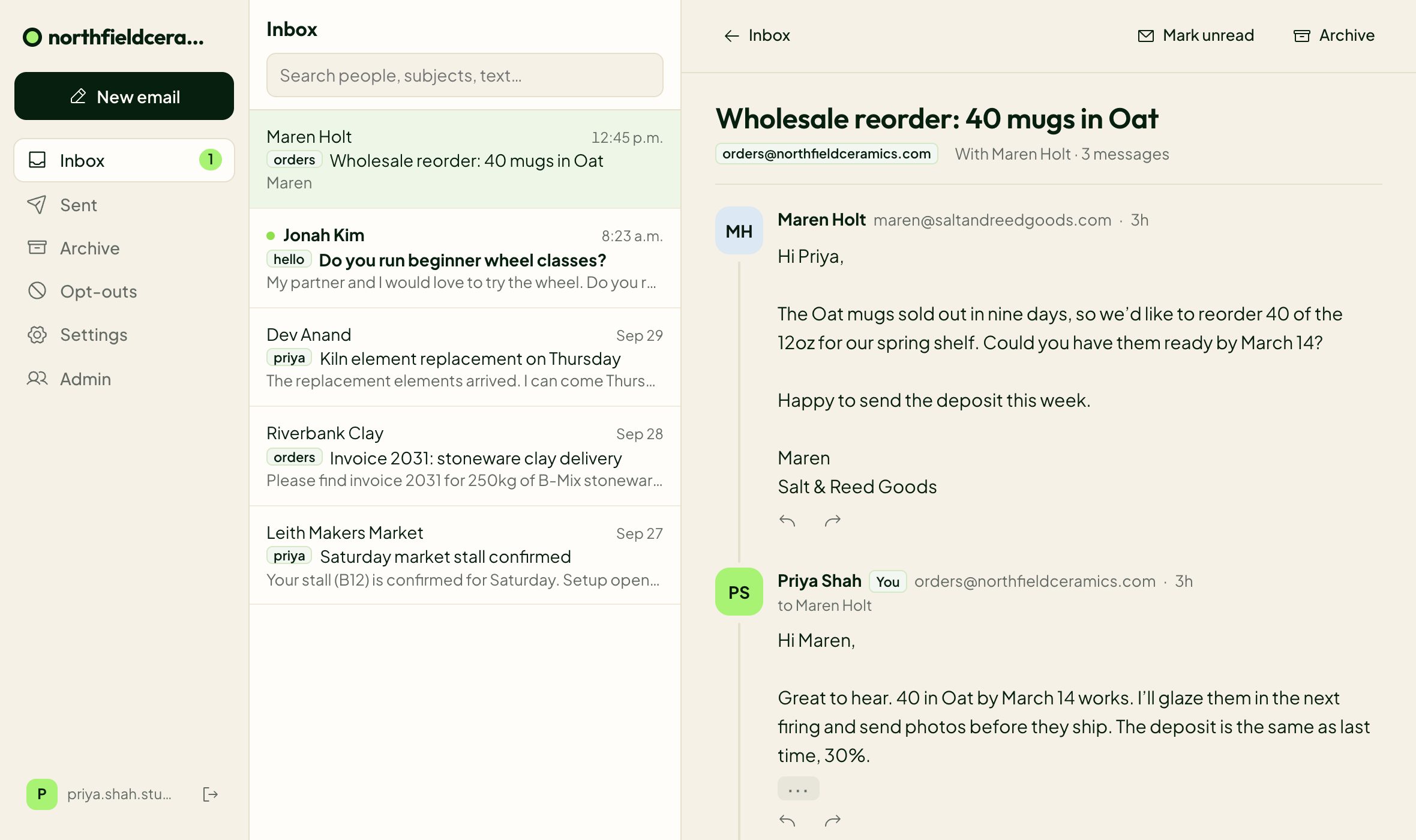
Connect each domain and it gets its own inbox, with its own addresses, labels, name, icon and sign-in page. You switch between projects from the top of the inbox with one login, so mail for your SaaS stays out of the inbox for your newsletter.
Domains in the same Cloudflare account share its Workers Paid plan. When you launch another project, you connect its domain and pick hello@ and support@. The bill stays where it was.
Why it’s cheap: it runs on your own Cloudflare account
Hosts like Hostinger and Zoho run mailboxes on their own servers and charge for each one. Digismak uses Cloudflare’s mail products in your account instead. Email Routing receives your mail, and a small relay Worker in your account hands it to the Digismak inbox. Email Sending sends your replies, signed for your domain.
Cloudflare bills that per account, not per mailbox: the Workers Paid plan costs the same whether the account holds one domain or five. If the account is already on Workers Paid for one of your projects, what you pay today covers sending too. Digismak itself is free during early access. Setup uses an API token you create and can delete at any time, and any Email Routing rules you already have keep working.
 Your Cloudflare account
 Digismak
Your inbox, in any browser
Digismak
Your inbox, in any browser
Cheap email hosting that costs less than Digismak
Some hosts charge per account instead of per mailbox. Two are worth knowing about, and one of them costs less than $5 a month however many mailboxes you need.
Purelymail is $10 a year for the whole account, with no hard limits on users, domains or storage; heavy use moves you to pay-as-you-go pricing. It sends about 3,000 emails a day and works with desktop mail apps over IMAP. In its own words, it’s a small team with no 24/7 support, and it doesn’t allow marketing email.
Migadu also charges per account. Its Micro plan is $19 a year but allows 20 outgoing emails a day for the whole account, so check that against how much support mail you answer. Mini, at $90 a year, allows 100.
If the lowest price and a desktop mail app matter most, pick Purelymail. Pick Digismak if you’d rather send and receive through your own Cloudflare account, with a separate inbox for each project in the browser and no passwords to manage. There’s a side-by-side on Purelymail vs Digismak.
Will cheap email land in spam?
Receiving servers can’t see what you pay. They check three DNS records on your domain. SPF says which servers may send for it. DKIM proves your domain signed the message and nobody changed it. DMARC tells them what to do when those checks fail.
Digismak’s setup adds all three. It adds an SPF record for Cloudflare and turns on DKIM signing through Cloudflare Email Sending. If your domain has no DMARC record, it adds one at p=none, a monitoring mode that doesn’t block anything else that sends as your domain. That matters if your app already sends receipts or password resets from the same domain. The last setup step sends a real email through the whole path. To see what your domain has today, run our free SPF, DKIM and DMARC checker.
How to get started
Setup is automatic and usually takes a few minutes, most of it Cloudflare verifying your domain.
Check your domain
Enter it on this page. Digismak reads its DNS and current email setup. If Google, Microsoft or another provider receives your mail today, setup says so and waits for you to confirm before switching.
Connect Cloudflare
Digismak opens Cloudflare’s token page with the permissions already filled in. Limit the token to that one domain, create it and paste it in. You can delete the token on Cloudflare at any time.
Let setup run
Digismak turns on Email Routing, adds the MX and SPF records, turns on Email Sending with DKIM, and sends a test email through the whole path. It finishes in the background, so you don’t have to stay on the page.
Pick your addresses
Choose your own address and add shared ones like support@ or hello@. On Cloudflare’s free plan, receiving works straight away and sending switches on when you upgrade to Workers Paid.
The catches
Read these before you sign up:
- Your domain’s DNS must be on Cloudflare. Moving it there is free, and the domain can stay registered where it is.
- It’s a browser inbox. There’s no IMAP, POP or SMTP access, so Outlook, Apple Mail and Thunderbird can’t connect. It works in your phone’s browser.
- It’s for people writing to people, not newsletters. Each email goes to at most 50 recipients, and each person can email up to 200 people in 24 hours. Cloudflare also starts new accounts on a lower daily sending quota that rises over time.
- Outgoing attachments can be up to 3.5 MB per email.
- Everyone you add to a domain can read its shared addresses. You can’t limit support@ to some people.
- There’s no calendar, documents or video calls, and no import of old mail yet.
- Each domain’s sign-in page is on a digismak.com address. Putting it on your own domain, like mail.yourproject.com, is Pro at $3 a month per domain. The first 50 domains get Pro free during early access, and after that there’s a waitlist.
- Digismak is free during early access. That isn’t a promise that it stays free.
Questions
What is the cheapest business email?
It depends on how many mailboxes you need. For one mailbox on one domain, Zoho Mail Lite at $1 a month, billed yearly, costs less than Digismak. Purelymail’s $10 a year per account is lower still. Digismak is $5 a month for every address on every domain in your Cloudflare account, so from 6 mailboxes it costs less than any per-mailbox plan we compared at regular prices (US prices, September 2026).
How much does sending cost after 3,000 emails a month?
Cloudflare charges $0.35 per 1,000 sent emails after the 3,000 included in the Workers Paid plan. Receiving is unlimited and free. An account that sends 5,000 emails in a month pays $5.70 in total. If you already pay for Workers Paid, email uses that plan and adds no second charge.
Is there free business email with my own domain?
Zoho’s free plan covers up to 5 users on one domain, in the browser and Zoho’s app only, and only in some regions. With Digismak, receiving works on Cloudflare’s free plan, but sending from your domain needs the $5 a month Workers Paid plan.
Does the price go up when I add a project or a person?
No. Cloudflare’s $5 Workers Paid plan covers every address on every domain in the account, including shared ones like support@. The only extra cost is sending more than 3,000 emails a month, at $0.35 per 1,000.
What’s the catch with cheap email hosting?
Often the headline price is an intro price. Hostinger’s $0.39 a mailbox needs 48 months paid upfront and renews at $1.59, and Namecheap’s promo code lowers the first year only. Check the renewal price and the term before you compare.
Can I get cheap email hosting with a domain included?
Digismak doesn’t sell domains. Buy one from any registrar, including Cloudflare, and keep its DNS on Cloudflare. Among per-mailbox hosts, Hostinger’s Business Premium email plan includes a free domain for one year.
Will cheap business email go to spam?
The price of your plan isn’t visible to the servers that receive your mail. They look for SPF, DKIM and DMARC records on your domain. Digismak’s setup adds all three, then sends a test email through the whole path.
Can I use Outlook or Apple Mail with Digismak?
No. Digismak has no IMAP, POP or SMTP access, so desktop and phone mail apps can’t connect to it. It’s a browser inbox that works on computers and in your phone’s browser.