Is there free email hosting for nonprofits?
Yes, if the organization is eligible. Google and Microsoft both offer free email hosting for nonprofits. Google Workspace for Nonprofits costs $0 through the Google for Nonprofits program, for up to 2,000 users. Microsoft gives eligible nonprofits Microsoft 365 Business Basic free as a grant, for up to 300 users. Both put email on the organization’s own domain and add office apps, and both need the organization to qualify first.
For a lot of eligible nonprofits, one of those is the right choice. If yours qualifies and people want shared documents and video calls as well as email, apply.
Digismak is for the rest: groups that don’t qualify, or that only need email. It fits the setup where you’re the one technical volunteer running email for a small nonprofit, a club, a community group or an open-source project, alongside projects of your own. Every address on the domain, including shared ones like volunteer@ and donations@, runs on one flat price paid to Cloudflare. Nobody checks nonprofit status.
Google Workspace for Nonprofits pricing, and Microsoft’s
These are the published nonprofit prices in US dollars, as of September 2026. Only eligible organizations get them.
| Plan | Price per user a month | Limits and notes |
|---|---|---|
| Google Workspace for Nonprofits | Free | Up to 2,000 users; 100 TB of storage shared across all users |
| Google Business Standard, nonprofit | $3.50 with a 1-year commitment, or $4.20 billed monthly | Up to 2,000 users; 2 TB per user |
| Google Business Plus, nonprofit | $6.16 with a 1-year commitment, or $7.40 billed monthly | Up to 2,000 users; 5 TB per user |
| Microsoft 365 Business Basic grant | Free | Up to 300 users |
| Microsoft 365 Business Standard, nonprofit | $3.50, paid yearly | Annual commitment |
| Microsoft 365 Business Premium, nonprofit | $5.50, paid yearly | Annual commitment |
| Digismak | No per-user price: $5 a month covers every domain in the Cloudflare account | Paid to Cloudflare for sending; Digismak itself is free during early access; no application |
A few conditions sit behind those numbers. Google’s discounts are for “nonprofits in the Google for Nonprofits program who have activated a Google Workspace subscription and are no longer in their free trial.” You can only get them from Google, not through a Google reseller. Microsoft says nonprofits must register and have their eligibility confirmed, and Microsoft decides who qualifies. Microsoft also sets its nonprofit prices in line with its commercial ones, and nonprofit Business Standard went up when those changed on July 1, 2026.
Past the free plans, the bill grows with each person. Ten people on nonprofit Business Standard cost $35 a month with Google and $35 with Microsoft, both on a 1-year commitment. For the regular prices, see Google Workspace pricing.
Which to pick: Google, Microsoft or Digismak
Pick Google or Microsoft if
The organization qualifies for a free nonprofit plan, and any of these is true:
- People share documents and calendars, or meet on video. Digismak is email only.
- People want to read mail in Outlook, Apple Mail or Thunderbird. Digismak is a browser inbox (it works on phones too) with no IMAP or SMTP access.
- The domain’s DNS can’t move to Cloudflare. Digismak only works with domains on Cloudflare.
If volunteers make up most of the group, read one line in Microsoft’s eligibility terms before you plan around the grant: “Volunteers, members and program participants of the nonprofit are NOT eligible for nonprofit licenses.” Check how that applies to your volunteers before you count on free seats for them.
Pick Digismak if
- The group isn’t eligible for either program, or you’re still waiting to hear back.
- You only need email, and people already have their own way to share documents.
- Volunteers join and leave often, and you’d rather not keep count of seats.
- You want the mail to run on a Cloudflare account you control, set up with a token you can delete any time.
Per-user email makes you count volunteers
A small group’s roster changes all year: board members, the regulars, and people who help with one event and then step back. Anyone who writes to donors or the public should do it from the group’s domain, where people can see who it’s from. You’re the one who adds and removes them.
With per-user email, each of those people is a seat. The free nonprofit plans make seats cost nothing, as long as the organization qualifies and stays on the free edition. Outside them, every new volunteer adds to the monthly bill.
Digismak doesn’t charge per person. One Cloudflare plan at $5 a month covers every address on the domain. Adding a volunteer for one event doesn’t change the bill, and neither does removing them afterwards.
Shared addresses for roles, free
Plenty of nonprofit mail goes to a role rather than a person: volunteer@ for sign-ups, donations@ for gift questions. In Digismak, shared addresses are free and everyone on the domain can read and answer them. When the volunteer coordinator changes, volunteer@ and its conversations stay where they are. Google’s free equivalent is a Google Group used as a collaborative inbox, which works too.
Everyone you add to the domain can read every shared address, and that can’t be limited to some people. If donations@ gets donor details, think about that before you add someone who only helps now and then.
No passwords for volunteers
Volunteers already have an email address. Digismak sends a 6-digit sign-in code to it, so there’s no password to create and no reset requests for you to handle. When someone steps back for a season, you suspend them from the admin console, and remove them when they leave.
Nonprofit email alongside your own projects
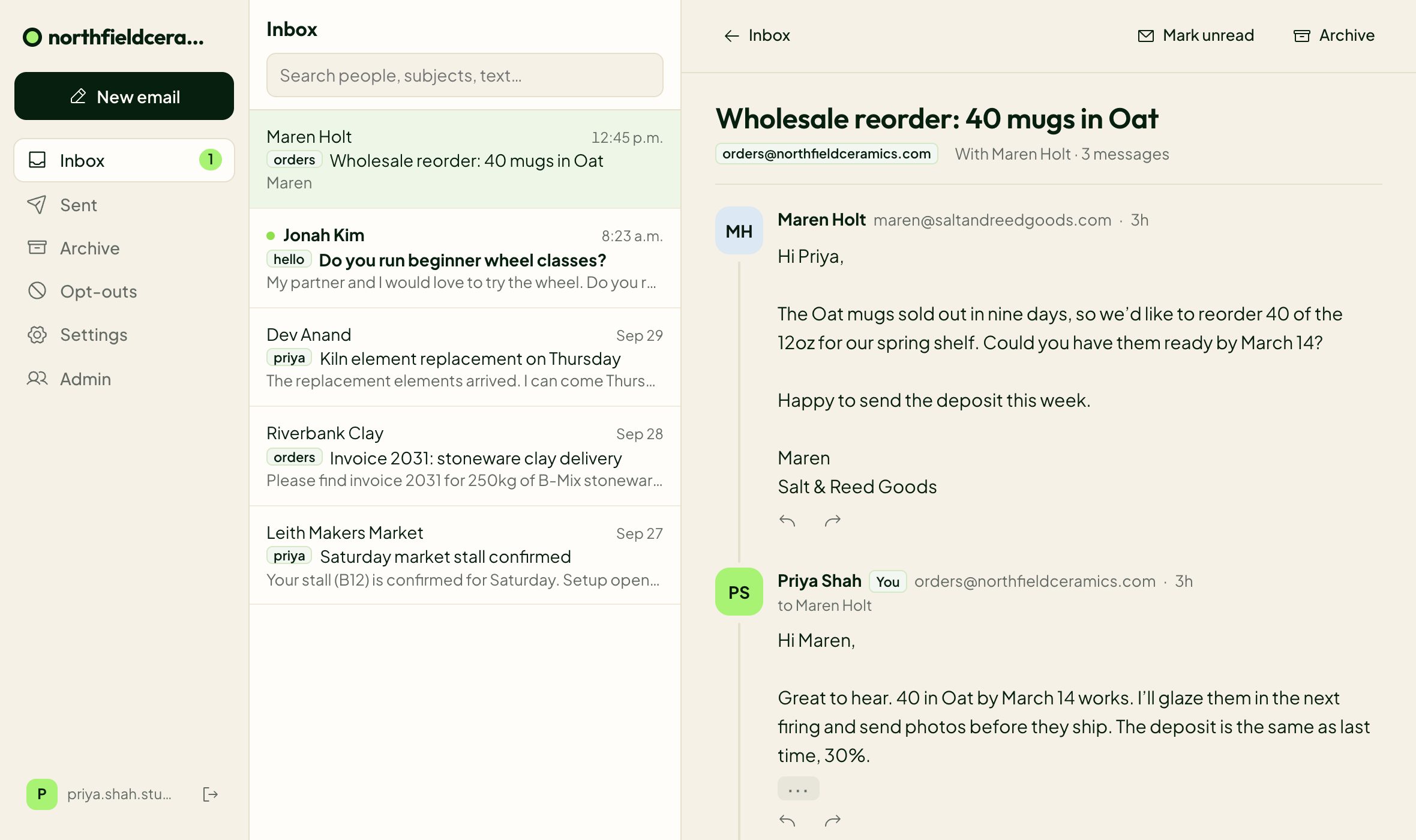
One Digismak login covers several domains. The group’s domain gets its own inbox, addresses, labels and sign-in page, and shows the group’s own name and icon. You switch between the group’s inbox and your own from the top of the inbox.
Where the domain lives decides the cost. Domains in the same Cloudflare account share one Workers Paid plan. If yourgroup.org sits in an account that already has that plan, such as the one you use for your own projects, sending costs nothing more. If the group should hold its domain in a Cloudflare account of its own, that account needs its own plan to send.
What Digismak costs a nonprofit
Digismak itself is free during early access. You don’t apply or prove nonprofit status, and the price is the same for every group.
Receiving works on Cloudflare’s free plan, and receiving is unlimited. Sending needs Cloudflare’s Workers Paid plan: $5 a month per Cloudflare account, paid to Cloudflare, covering every address on every domain in the account. It includes 3,000 sent emails a month, then $0.35 per 1,000. Here’s how that compares for a small group:
| People | Free nonprofit plans | Google Business Standard, nonprofit | Microsoft 365 Business Standard, nonprofit | Digismak |
|---|---|---|---|---|
| 2 people | $0 | $7 | $7 | $5 |
| 5 people | $0 | $17.50 | $17.50 | $5 |
| 10 people | $0 | $35 | $35 | $5 |
If the group qualifies for a free plan and it has what you need, it costs less than Digismak. Against either nonprofit Business Standard plan, Digismak costs less once you have 2 or more people. It also costs the same whether or not the group qualifies for anything.
Two limits to know: each email can go to up to 50 recipients, and each person can email up to 200 people per 24 hours. They’re set for everyday mail between people, so newsletters and appeals to the whole supporter list belong in a newsletter tool.
Set up email for your nonprofit
The domain’s DNS needs to be on Cloudflare, and moving it there is free. Then setup takes a few minutes, most of it Cloudflare verifying the domain. Digismak doesn’t import old mail, so anything from before the switch stays with the old provider or in an export.
Check the domain
Enter it on Digismak. We read its DNS and current email setup and change nothing until you confirm. If it already gets mail through Google or Microsoft, setup says so and waits for you.
Connect Cloudflare
Digismak opens Cloudflare’s token page with the permissions already filled in. Limit the token to that one domain, create it and paste it in. You can delete the token on Cloudflare any time.
Let setup run
Digismak turns on Email Routing, adds the MX and SPF records and turns on sending with DKIM. It adds a DMARC record if the domain had none, then sends a test email through the whole path.
Add your people
Give each person an address, and add shared ones like volunteer@ and donations@. Everyone signs in with a code sent to the email they already use.
Read more about how Digismak works with Cloudflare email, or see how shared inboxes work day to day.
Questions
Is Google Workspace free for nonprofits?
Yes, for eligible organizations. Google Workspace for Nonprofits costs $0 per user through the Google for Nonprofits program, for up to 2,000 users. Business Standard and Business Plus are available at nonprofit prices if you need more.
How much does Google Workspace for Nonprofits cost?
The nonprofit edition is free. Business Standard for nonprofits is $3.50 per user a month with a 1-year commitment ($4.20 billed monthly), and Business Plus is $6.16 ($7.40 monthly). These are US prices as of September 2026, for organizations in the Google for Nonprofits program.
Is there free email hosting for nonprofits?
Yes, if you’re eligible: Google Workspace for Nonprofits is free, and Microsoft gives Microsoft 365 Business Basic free to up to 300 users. Digismak needs no application: it’s free during early access and receives mail on Cloudflare’s free plan. Sending needs Cloudflare’s $5 a month Workers Paid plan.
Does Microsoft 365 have a free plan for nonprofits?
Yes. Eligible nonprofits get Microsoft 365 Business Basic as a grant for up to 300 users. Business Standard costs $3.50 and Business Premium $5.50 per user a month, paid yearly.
Do we need to prove nonprofit status to use Digismak?
No. There’s no application or eligibility check, and the price is the same for every group. The domain’s DNS does need to be on Cloudflare.
Can volunteers share one address like volunteer@?
Yes. In Digismak, shared addresses are free, and everyone on the domain can read and answer them. Replies go out from volunteer@, the address the person wrote to, whoever answers.
Can I run a nonprofit’s email alongside my own projects?
Yes. One Digismak login covers several domains, each with its own inbox, addresses and sign-in page, and you switch between them from the top of the inbox. Domains in the same Cloudflare account share one Workers Paid plan.
Can we move from Google Workspace for Nonprofits to Digismak?
Yes, if your domain’s DNS is on Cloudflare. Export your mail first, because Digismak doesn’t import old mail and cancelling Workspace deletes it. Our guide on how to leave Google Workspace covers each step.